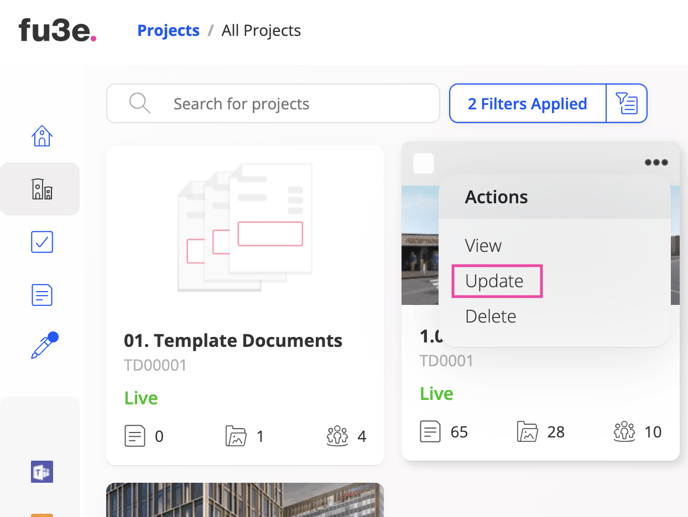
1. Select the project you wish to update.
2. Click the actions menu in the top-right of your selected project card.
3. Select update from the drop-down menu.
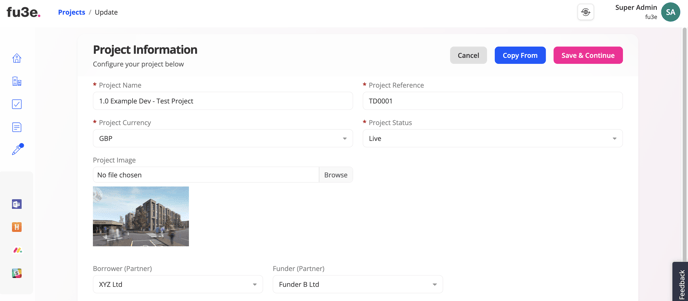
4. Edit the relevant information.
5. Click 'save & continue'.
![String Format.png]](https://support.fu3e.com/hs-fs/hubfs/String%20Format.png?height=26&name=String%20Format.png)
1. Select the project you wish to update.
2. Click the actions menu in the top-right of your selected project card.
3. Select update from the drop-down menu.
4. Edit the relevant information.
5. Click 'save & continue'.