![String Format.png]](https://support.fu3e.com/hs-fs/hubfs/String%20Format.png?height=26&name=String%20Format.png)
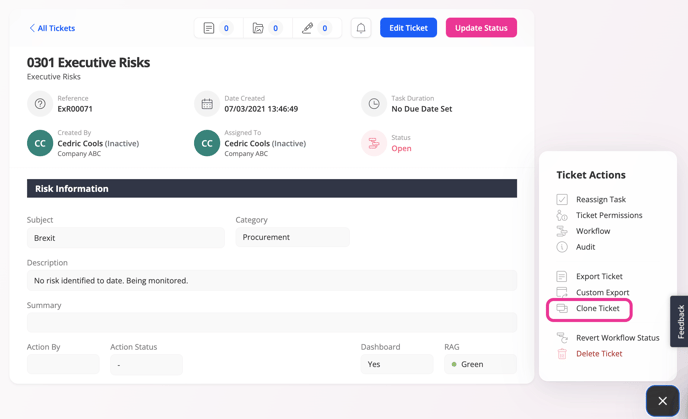
1. On the ticket view screen, select the hamburger menu located in the bottom right-hand corner of the screen.
2. Select 'clone ticket' from the menu to duplicate the ticket and copy over the information.
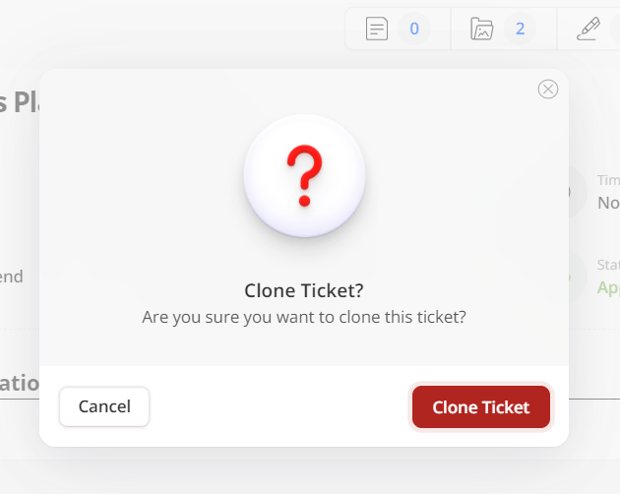
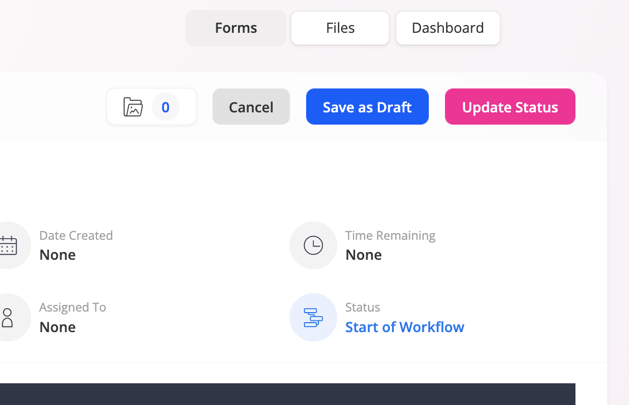
3. The information contained within your cloned ticket will be copied into the newly created form.
4. Update the form's fields as needed, then click 'create & update status' to publish as a newly created ticket.
Please note:
You can only clone tickets if you have been given edit field permissions and create permissions on that particular form.
If you clone a child ticket, the parent/child relationship will be replicated for the newly created child ticket.