![String Format.png]](https://support.fu3e.com/hs-fs/hubfs/String%20Format.png?height=26&name=String%20Format.png)
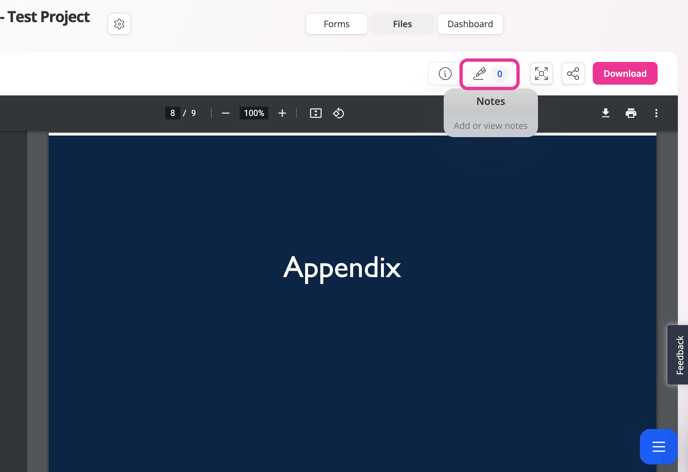
1. On the file preview screen.
2. Select the notes button.
3. Enter comment.
4. Click post.
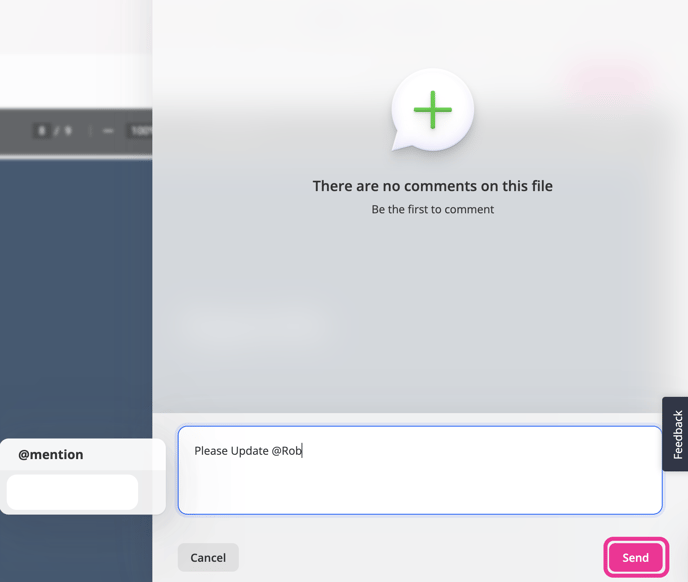
To notify users of your comment, press the "@" symbol and start typing the user's name, this will also add them to your comment.
You can @mention any user with access to the project.
To delete a note, click the bin icon located next to the note. Only the original poster or admin user can delete notes.