![String Format.png]](https://support.fu3e.com/hs-fs/hubfs/String%20Format.png?height=26&name=String%20Format.png)
Landscape Reporting is designed to make detailed information easier to view, export and share. Choose the orientation that best suits the report, benefit from the additional space to present detailed tables and use one or two columns for the landscape table of contents.
- Report Packs & Exports: All configured orientations—across tickets, table of contents, and cover pages.
- Forms and Tickets: Select between portrait default and landscape modes. Tickets from these forms inherit the wider layout and export in the chosen format.
- Cover Pages: Front, back, and section cover templates may be configured for portrait or landscape orientation. All previews and exports mirror the selected orientation.
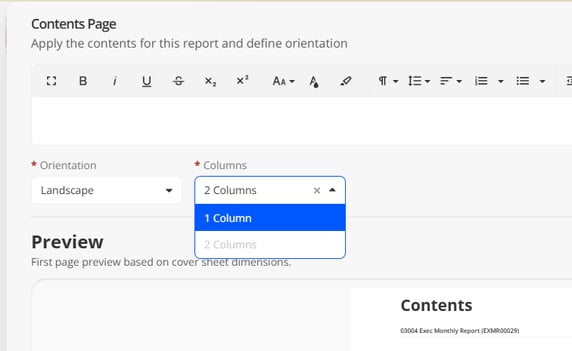
- Table of Contents: Defaults to the primary form's orientation, but you can override to portrait or landscape. Landscape supports single or double column layouts.
How to Use:
- An administrator sets the form or cover page orientation during configuration.
- Create or view tickets as usual, their layout reflects the form’s selected orientation.
- In the Report Builder, add or update the table of contents where you can adjust its orientation and select column layouts for landscape contents.
- Select the cover templates, preview the layout and export the full report pack to PDF with all components in the updated orientation.
Note: Landscape tickets and covers may require horizontal scrolling on smaller screens.