![String Format.png]](https://support.fu3e.com/hs-fs/hubfs/String%20Format.png?height=26&name=String%20Format.png)
Adding Dashboards - Project, Group and Global
This guide explains how to add Project, Group, and Global dashboards to your report in fu3e, allowing you to combine data and insights from across your portfolio into a single professional document.
Go to template.fu3e.com
1. Add New Report Item
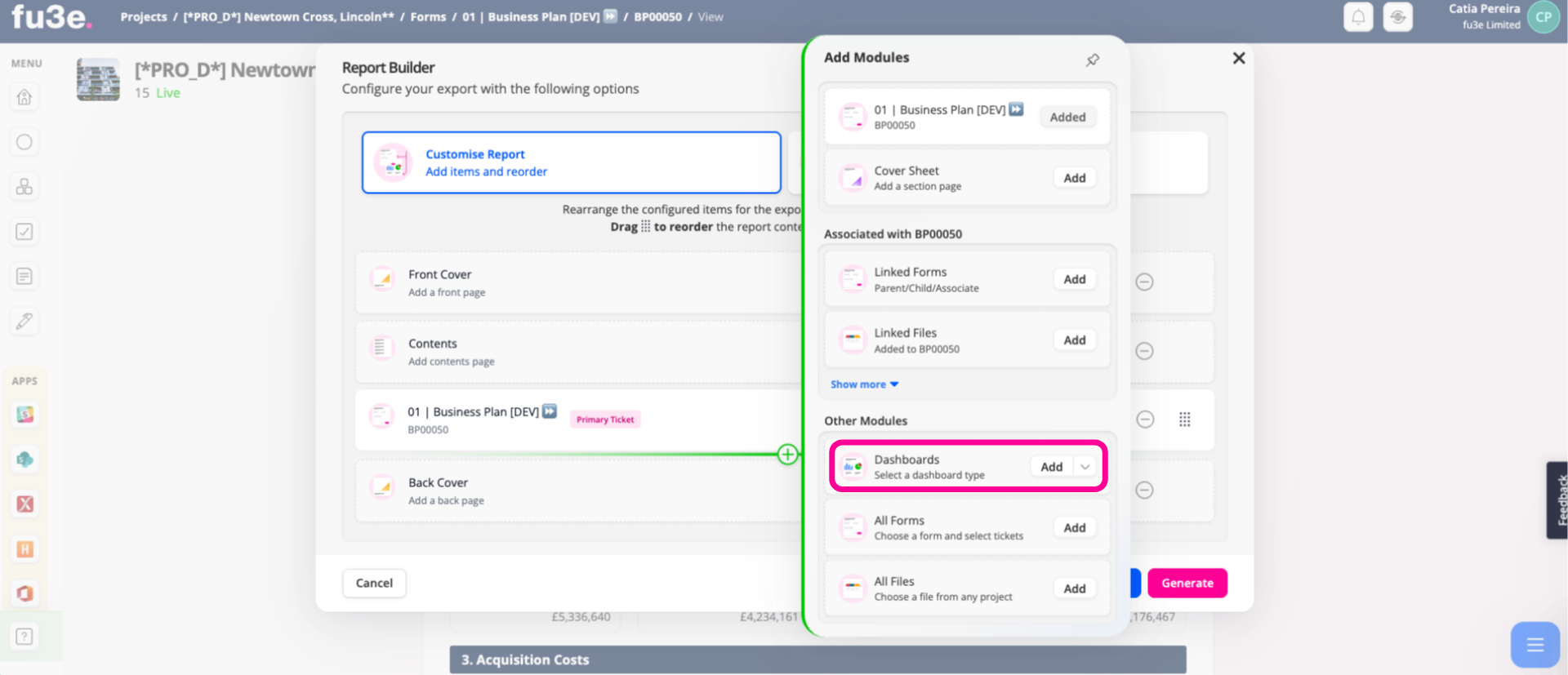
Click Add to select a dashboard from the current project. You will be taken to a screen where you can choose the dashboard you want to include.
2. Select Dashboard
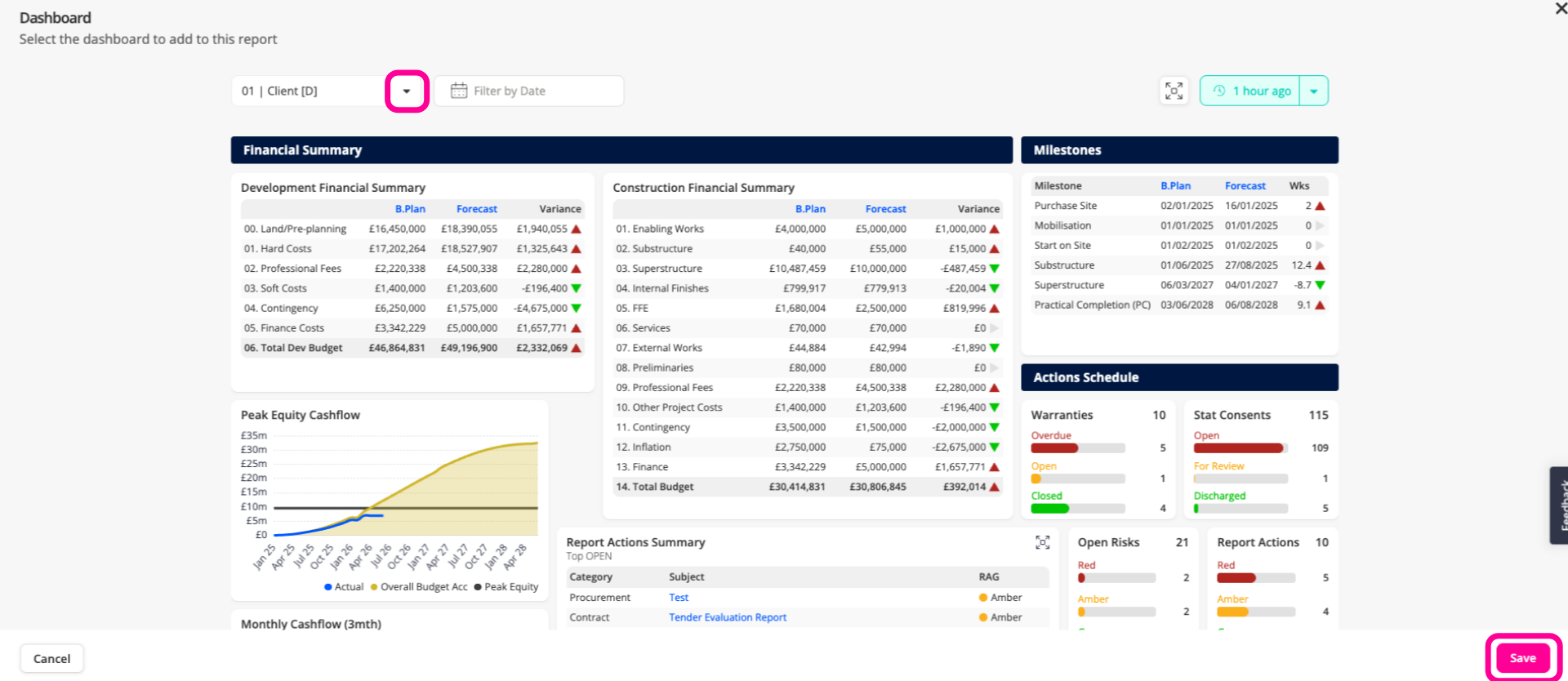
From here, select an available dashboard from the drop-down menu and click Save to add it to the report.
3. Configure Dashboard Content
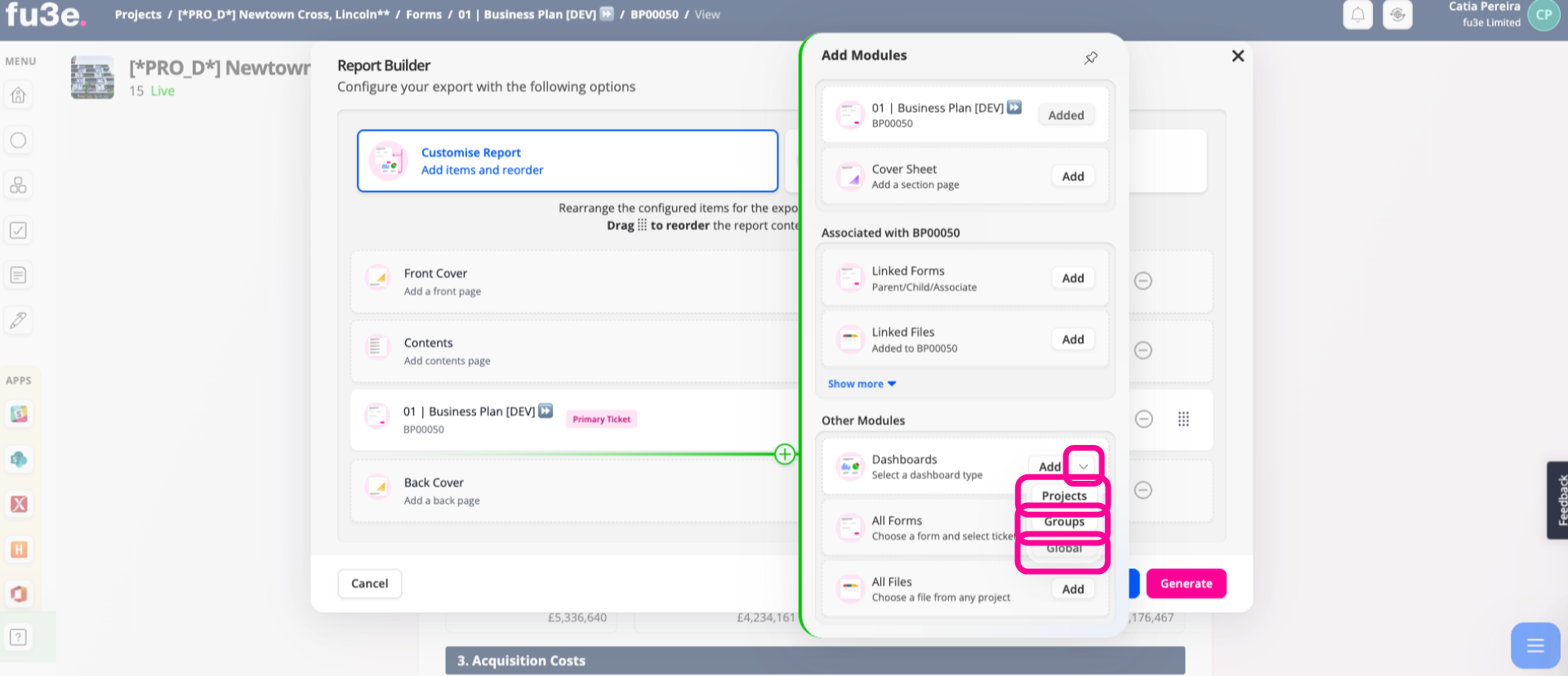
From the drop-down menu, select the appropriate option to include dashboards from other Projects, Groups, or Global Dashboards.You will then be taken to a new screen where you can continue your selection.
4. Confirm Project Selection
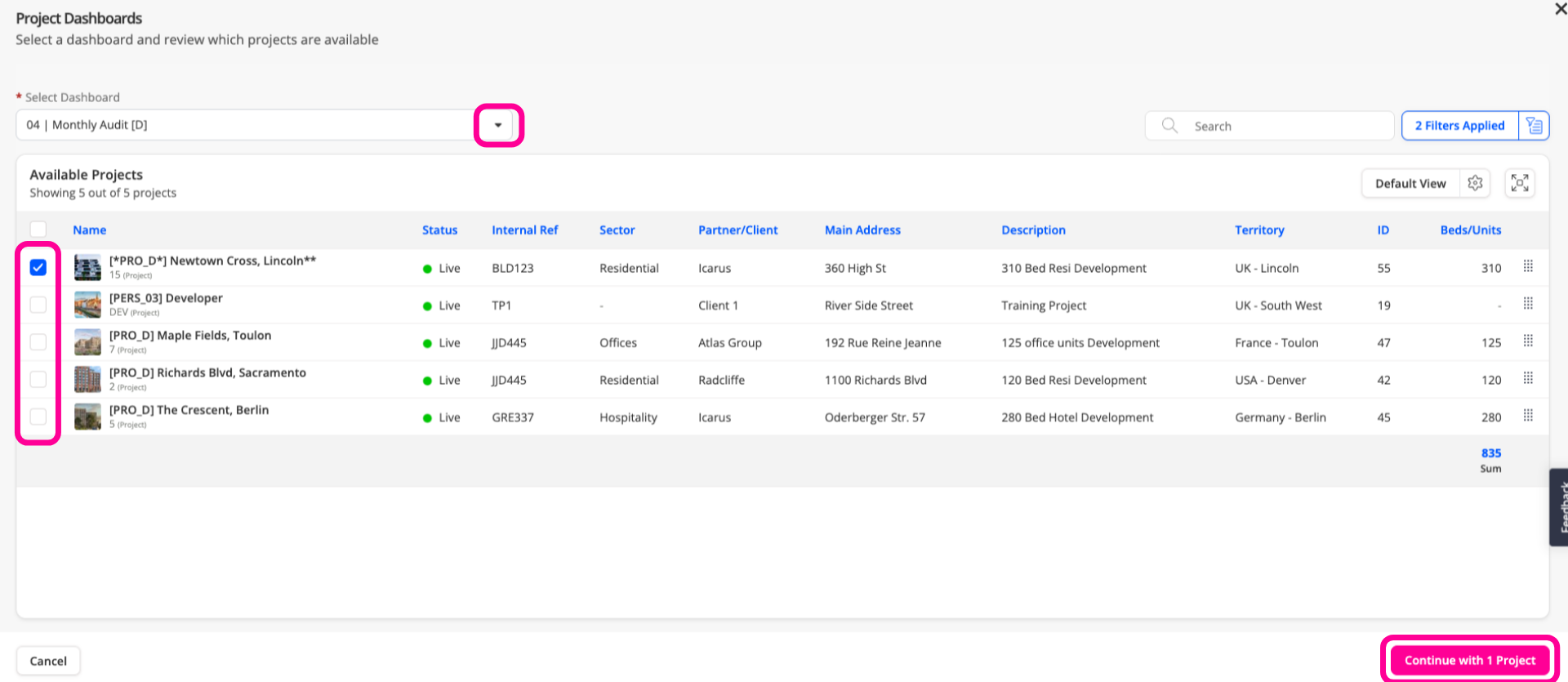
From here, select the dashboard and the relevant project(s), then click Continue with Project.
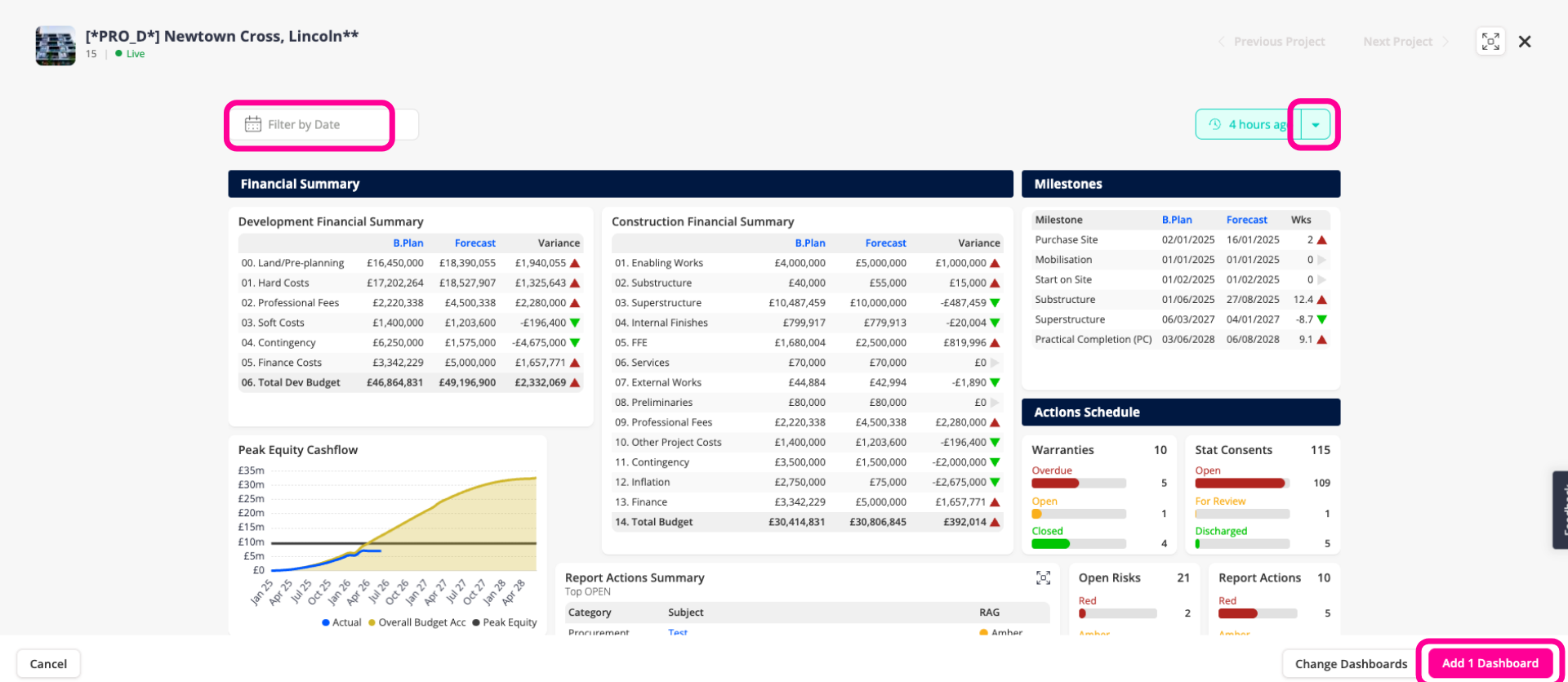
5. Filter Project Selection
From this screen, you can apply filters or choose from different date snapshots before adding the dashboard to the report.
By adding Project, Group, and Global dashboards to your reports in fu3e, you now can consolidate key data and insights from across your portfolio into a single, professional document.